

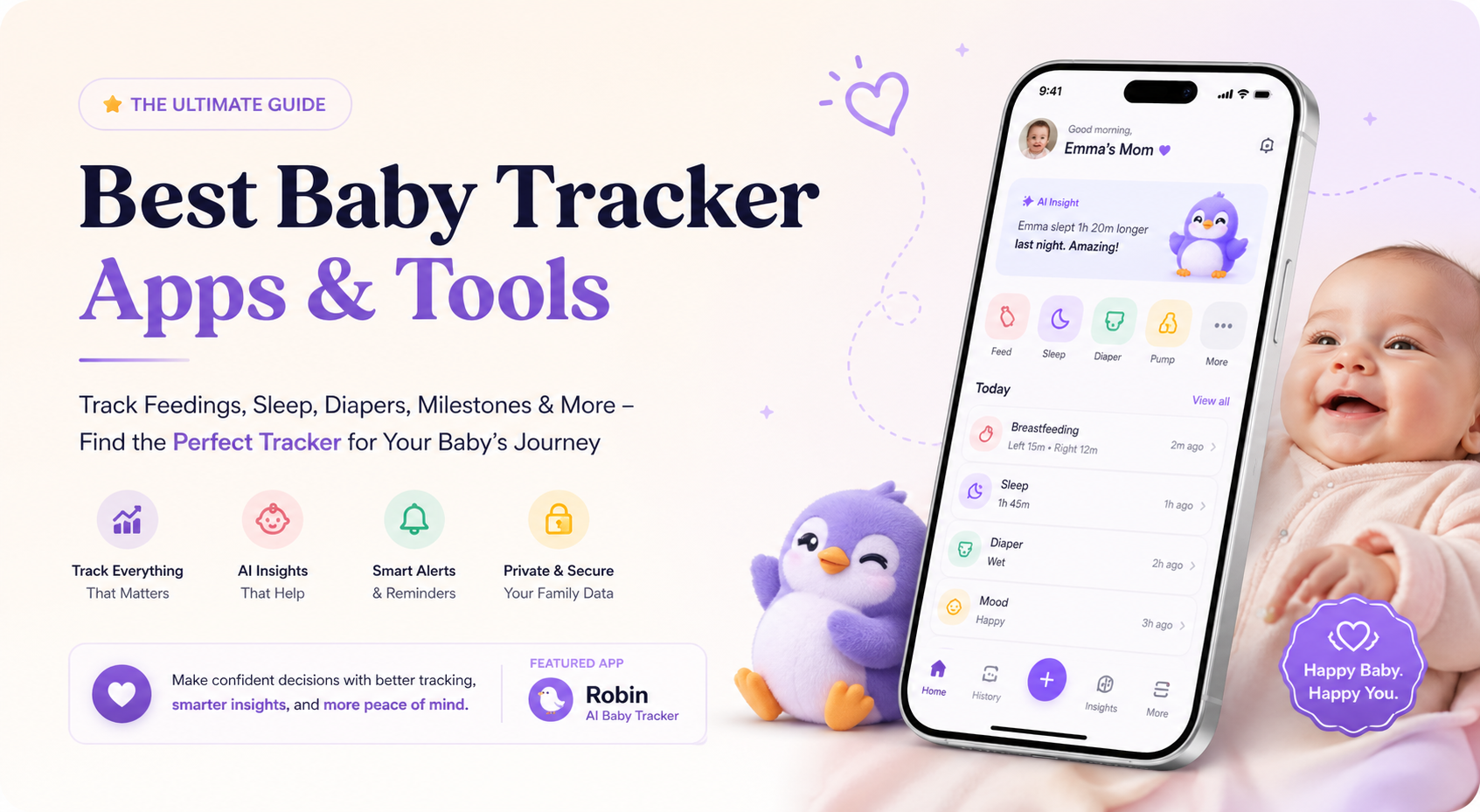
Best Baby Tracker Apps: Quick Picks
| Rank | Baby Tracker App | Best For | Key Strength |
|---|---|---|---|
| 1 | Robin Baby | Best overall AI baby tracker | Voice logging, free sleep forecast, AI summaries, caregiver sync |
| 2 | Huckleberry | Best for sleep predictions | SweetSpot nap and bedtime guidance |
| 3 | Nara Baby | Best free baby tracker | Free, ad-free, simple family tracking |
| 4 | Baby Daybook | Best for detailed daily logging | Broad activity tracking and statistics |
| 5 | Sprout Baby | Best all-in-one traditional tracker | Growth, milestones, feeding, sleep and family sharing |
| 6 | Baby Connect | Best for cross-device access | Works across multiple devices and caregivers |
| 7 | Talli Baby | Best for one-touch tracking | Optional hardware-style tracking workflow |
| 8 | Glow Baby | Best for parents who want AI plus community | AI-powered baby tracking and milestone support |
| 9 | Ovia Parenting | Best for milestones and family memories | Tracking plus content and child development tools |
| 10 | Amila Baby Tracker | Best simple Android tracker | Lightweight feeding, sleep and diaper tracking |
Why Baby Tracker Apps Matter
The newborn stage is beautiful, but it can also feel like one long blur of feeds, naps, diaper changes, pumping sessions, medication reminders and half-remembered pediatrician questions. That is exactly why baby tracker apps have become so useful for new parents.
A good baby tracker app helps you answer questions like:
- When did the baby last feed?
- How long was the last nap?
- Which side did we nurse on?
- How many wet diapers did we get today?
- Is the baby’s sleep becoming more predictable?
- Did reflux symptoms change after a diet change?
- What should I tell the pediatrician at the next visit?
This kind of tracking can be genuinely useful because feeding, diaper output, sleep and growth are among the practical signals parents and doctors often look at in early infancy. For example, the CDC notes that breastfed newborns often feed 8 to 12 times per day and that diaper output can help parents understand whether the baby may be getting enough milk in the early days. (CDC)
At the same time, a baby tracker should reduce mental load, not increase anxiety. The best baby tracker app is not the one with the most buttons. It is the one you can actually use at 3 a.m., with one hand, while sleep-deprived.
That is why the best baby tracker apps in 2026 are moving beyond simple logging. Parents now want faster input, caregiver syncing, reminders, sleep forecasts, AI summaries, doctor-ready exports and a calmer way to understand patterns.
1. Robin Baby: Best Overall AI Baby Tracker App
Best for: Parents who want a modern, voice-first baby tracker with AI insights, caregiver sync, free sleep forecast and doctor-ready summaries.
Robin Baby is our top pick for the best baby tracker app in 2026 because it solves the biggest problem with most baby tracking apps: logging is often too slow when parents are exhausted.
Instead of forcing you to tap through multiple screens, Robin Baby is built around voice-first logging. You can speak naturally, and the app can extract multiple events from a single recording. For example, a parent could say something like, “Mia nursed for 15 minutes on the left, then had a dirty diaper at 8 a.m.,” and Robin Baby can convert that into separate logged events for review before saving. The App Store listing describes Robin Baby as a voice-first AI baby tracker that can log feeds, sleep, mom’s diet, diapers and symptoms by voice, with AI parsing multiple events per recording.
That is a major advantage for real-world newborn care. Most parents do not forget to track because they are careless. They forget because they are tired, feeding the baby, holding the baby, cleaning up, pumping, or trying to get back to sleep. Voice logging makes tracking feel closer to talking to a second memory.
Why Robin Baby ranks first
Robin Baby stands out because it combines four things most baby tracker apps handle separately:
- Fast logging
- AI recall
- Sleep forecasting
- Doctor-ready summaries
Many apps can track feeding, sleep and diapers. Robin Baby goes further by letting parents ask questions about their own logs in plain English. For example:
- “When was the last feeding?”
- “How much did she sleep last night?”
- “How many wet diapers this week?”
- “Has reflux been getting better since I cut dairy?”
This is the kind of feature that makes AI genuinely useful in a parenting app. It is not just “AI” as a buzzword. It turns messy daily logs into something parents can search, summarize and understand.
Best Robin Baby features
Voice-first baby logging
Robin Baby lets parents log by voice, which is especially useful during night feeds, pumping sessions, diaper changes or moments when typing is annoying. The app listing says users can tap the mic, speak for up to 90 seconds, and review extracted events before saving.
Free sleep forecast
Robin Baby’s App Store listing highlights a free sleep forecast that predicts naps, bedtime and wake windows. It also describes a day schedule that combines age-based wake-window rules with the baby’s last 14 days of logged sleep to personalize the forecast.
This is important because sleep is one of the highest-intent reasons parents search for baby tracker apps. Parents do not just want to record sleep. They want help answering, “When should the next nap be?”
AI daycare and nanny note scanning
A very practical feature is the ability to scan daycare or nanny notes. Robin Baby says parents can photograph a paper daily report, and AI vision can extract feeds, naps, diaper changes and activities for review before adding them to the timeline.
This is a strong differentiator for working parents. Daycare notes often stay on paper or in a separate app, which means the baby’s full day gets fragmented. Robin Baby helps bring that information back into one shared timeline.
Mom’s diet and symptom correlation
Robin Baby includes mom’s diet as a first-class event type, with allergen tags like dairy, soy, egg, wheat and nuts. The app listing says its AI can correlate meals with baby symptoms across a 14-day window, designed for parents logging around CMPA, reflux or elimination-diet trials, while making clear that a pediatrician should interpret the patterns.
This is valuable because many baby tracker apps focus only on the baby. Robin Baby recognizes that in breastfeeding families, the parent’s diet, symptoms, feeds and pediatrician conversations can all be connected.
Growth charts and insights
Robin Baby supports WHO percentile curves for weight, height and head circumference, plus sleep trends, feeding rhythms, symptom heatmaps, medication timelines, diaper patterns and milestones.
Import from other baby trackers
Switching baby tracker apps can be painful because parents do not want to lose old data. Robin Baby supports importing CSV or Excel exports from Huckleberry and other trackers, with AI mapping columns automatically and showing a preview before events are added.
Family sharing
Robin Baby supports caregiver sharing, letting multiple caregivers log to the same timeline. The App Store listing says free users can invite up to three caregivers, while Premium supports unlimited caregivers.
Doctor summary PDF and CSV export
Robin Baby also supports CSV exports and a pediatrician-ready doctor summary PDF with growth chart and AAP visit presets such as 1 month, 2 months, 4 months, 6 months, 9 months and 12 months.
That matters because pediatrician visits are where baby tracking becomes more than a personal log. Instead of scrolling through weeks of entries, parents can bring a cleaner summary.
What Robin Baby tracks
Robin Baby supports 17 event types, including:
- Bottle feeds
- Breastfeeding
- Pumping
- Solid foods
- Sleep
- Diapers
- Symptoms
- Medication
- Temperature
- Growth measurements
- Vaccinations
- Crying
- Milestones
- Mom’s diet
- More daily care events
Where Robin Baby could improve
Robin Baby is currently iPhone-focused and requires iOS 18.0 or later, according to its App Store listing but will have an Android release very soon for the Android families.
It is also a newer app, and Apple says it has not received enough ratings or reviews to display an overview yet. For some parents, established review volume matters. For others, Robin Baby’s newer AI-first workflow may be exactly the appeal.
Verdict
Robin Baby is the best baby tracker app for parents who want more than manual logs. It is especially strong for iPhone users who want voice logging, AI recall, caregiver sync, sleep forecasting, mom’s diet tracking, symptom pattern support and doctor-ready summaries in one place.
2. Huckleberry: Best Baby Tracker App for Sleep Predictions
Best for: Parents who want a strong baby sleep tracker with nap and bedtime prediction features.
Huckleberry is one of the most recognized baby tracker apps, especially for sleep. Its biggest differentiator is SweetSpot, a feature designed to predict ideal sleep timing based on the baby’s age and logged sleep history.
The App Store listing says Huckleberry’s free features include one-touch tracking for sleep, diaper changes, feedings, pumping, growth, potty training, activities and medicine. It also includes breastfeeding timers, sleep summaries, reminders and caregiver syncing. Paid features include SweetSpot, schedule creator, insights, enhanced reports, AI logging and more advanced sleep support.
Why parents like Huckleberry
Huckleberry is strong because it gives parents a structured way to understand sleep. Instead of only showing a nap log, it helps parents think about timing. This can be helpful when babies move from chaotic newborn sleep into more predictable wake windows.
Best Huckleberry features
- Sleep tracking
- Feeding tracking
- Diaper tracking
- Pumping logs
- Growth tracking
- Caregiver sync
- Reminders
- SweetSpot sleep predictions on paid plans
- AI logging on higher tiers
- Expert-designed sleep plans on Premium
Huckleberry’s pricing page lists Free, Plus and Premium tiers, with Plus including SweetSpot nap and bedtime predictions and Premium adding AI chat and customized sleep plans.
Where Huckleberry falls short
Huckleberry is excellent for sleep, but some of the most valuable features are paid. If a parent only wants free tracking, Nara Baby may feel simpler. If a parent wants voice-first logging, AI recall and doctor summaries, Robin Baby may feel more modern.
Verdict
Huckleberry is a strong choice for parents who are specifically trying to improve nap timing and bedtime predictability. It remains one of the best baby sleep tracker apps, especially for families willing to pay for sleep-focused features.
3. Nara Baby: Best Free Baby Tracker App
Best for: Parents who want a clean, simple, free and ad-free baby tracker.
Nara Baby is one of the easiest recommendations for parents who want a free baby tracker app without feeling pushed into a subscription. Nara’s official site says the app helps track feedings, naps, diapers and pumping sessions for baby, plus medications, diet, hydration, sleep and mood for mom.
The Google Play listing also describes Nara as free and ad-free, designed by a mom to track her newborn’s activity. It mentions tracking diapers, feedings, pumping, sleep, wake windows and more.
Why parents like Nara Baby
Nara Baby works well for parents who want simple logging without too much complexity. Its strongest positioning is calm, clean and practical. It is not trying to be a full AI assistant or sleep consultant. It is a straightforward shared baby log.
Best Nara Baby features
- Feeding tracking
- Diaper tracking
- Sleep tracking
- Pumping tracking
- Mom’s postpartum health tracking
- Caregiver sharing
- Multiple child support
- Free and ad-free positioning
Where Nara Baby falls short
Nara Baby is great for tracking, but it does not appear to be as AI-forward as Robin Baby or as sleep-prediction focused as Huckleberry. If you want advanced sleep forecasts, AI summaries, doctor-ready PDFs or voice-first logging, Robin Baby or Huckleberry may be better.
Verdict
Nara Baby is one of the best free baby tracker apps for parents who want a simple shared log and do not want to think about subscriptions.
4. Baby Daybook: Best for Detailed Daily Logging
Best for: Parents who like detailed logs, statistics and a broader daily routine tracker.
Baby Daybook is a strong option for parents who want to track almost everything. Its official site describes it as a smart baby tracker with personalized sleep predictions, covering baby activities such as sleep, feeding, diaper changes, health and more.
The Google Play listing says Baby Daybook is used by over 2 million parents and tracks feedings, sleep, diaper changes, growth milestones and health.
Why parents like Baby Daybook
Baby Daybook is useful for parents who enjoy structured data. It is less minimal than Nara Baby and more broad than sleep-only tools. For parents who want to see patterns across feeding, sleep, diapers, health and routines, Baby Daybook is a solid option.
Best Baby Daybook features
- Feeding logs
- Sleep logs
- Diaper logs
- Growth milestones
- Health tracking
- Personalized sleep schedule predictions
- Smart reminders
- Caregiver syncing
- Statistics and routine visibility
Where Baby Daybook falls short
Baby Daybook may be more detailed than some parents need. For sleep-deprived parents, too many logging options can feel like work. It is best for parents who actually enjoy tracking and want deeper statistics.
Verdict
Baby Daybook is one of the best baby tracker apps for detail-oriented parents who want a comprehensive daily log and do not mind a more data-heavy experience.
5. Sprout Baby: Best Traditional All-in-One Baby Tracker
Best for: Parents who want a polished, all-in-one tracker for feeding, sleep, growth and milestones.
Sprout Baby is a long-running baby tracker app with a strong all-in-one positioning. Sprout’s official page says the app helps parents track feeding, sleep, growth and milestones.
The Google Play listing describes Sprout Baby as an all-in-one baby tracker for feeding, sleep, nappies, growth and milestones, with syncing across devices and sharing with family members or caregivers.
Why parents like Sprout Baby
Sprout Baby feels like a classic baby tracker done well. It is especially useful if you want growth, milestones and daily logs in one place without making AI the center of the product.
Best Sprout Baby features
- Bottle, breast and solids tracking
- Sleep tracking
- Diaper tracking
- Growth tracking
- Milestone tracking
- Family and caregiver sync
- Visual summaries and trends
Where Sprout Baby falls short
Sprout Baby is strong as a traditional tracker, but parents looking for voice-first AI logging, AI recall or sleep forecasts may prefer newer AI-first options like Robin Baby.
Verdict
Sprout Baby is a strong all-in-one baby tracker for parents who want a polished traditional tracking experience with growth and milestone support.
6. Baby Connect: Best for Cross-Device Access
Best for: Families who want a detailed tracker that works across devices, caregivers and platforms.
Baby Connect is one of the older and more comprehensive baby tracker apps. Its official site describes it as a newborn tracking app for sleep, feeding, milestones and more, accessible across devices.
The App Store listing describes Baby Connect as a newborn tracker for sleep, feeding and pumping logs, with iPhone, iPad and Apple Watch support.
Why parents like Baby Connect
Baby Connect is useful for families that want everyone involved: parents, grandparents, babysitters, nannies and other caregivers. Its strength is not necessarily simplicity. Its strength is completeness and access.
Best Baby Connect features
- Feeding tracking
- Sleep tracking
- Pumping logs
- Diaper tracking
- Growth and development logs
- Caregiver sharing
- Reports and charts
- Cross-device access
- Apple Watch support
Where Baby Connect falls short
Baby Connect may feel more utilitarian than newer apps. Parents who want a calmer, more AI-assisted experience may prefer Robin Baby. Parents who want a free-first experience may prefer Nara Baby.
Verdict
Baby Connect is one of the best baby tracker apps for families that need cross-device access and detailed shared tracking.
7. Talli Baby: Best for One-Touch Tracking
Best for: Parents who want fast tracking and may like a dedicated one-touch device workflow.
Talli Baby is built around convenient tracking. Its App Store listing says Talli Baby Tracker helps track infant feeding, diapers and sleep, with customizable tracking for a family’s needs. It can also track meds, bath time, tummy time, Vitamin D drops, baby mood and even meds for mom.
Talli’s official site also positions the app as a companion to its device, helping parents track activities, view past events and identify trends in the baby’s schedule.
Why parents like Talli Baby
Talli is interesting because it recognizes that opening an app is sometimes the friction. A one-touch workflow can be useful for households where multiple caregivers are tracking events.
Best Talli Baby features
- Feeding tracking
- Diaper tracking
- Sleep tracking
- Nursing and pumping logs
- Milestones
- Customizable tracking
- Optional device-based workflow
- Family and caregiver sharing
Where Talli Baby falls short
Talli’s device-centered workflow may not be necessary for everyone. If you want the simplest app-only experience, Nara Baby may be enough. If you want advanced AI summaries and voice logging, Robin Baby is stronger.
Verdict
Talli Baby is a good option for families who want tracking to feel physical, fast and one-touch, especially in a shared caregiving environment.
8. Glow Baby: Best AI-Powered Tracker with Community Feel
Best for: Parents who want baby tracking, milestones, personalized insights and a broader parenting app experience.
Glow Baby positions itself as an AI-powered baby tracker covering diaper changes, breastfeeding, sleep schedules and milestones.
Its App Store listing says Glow Baby helps track growth, development and daily activities, while supporting milestones, feedings and personalized insights.
Why parents like Glow Baby
Glow Baby is more than a simple log. It is part baby tracker, part parenting companion. Parents who already like Glow’s broader ecosystem may find it familiar.
Best Glow Baby features
- Feeding tracking
- Diaper tracking
- Sleep tracking
- Milestone tracking
- Growth tracking
- AI-powered insights
- Parenting support features
Where Glow Baby falls short
Glow Baby may feel broader and busier than parents who only want a clean tracker. It is a better fit for parents who want a more content-rich experience, not just a timeline.
Verdict
Glow Baby is a good option for parents who want an AI-powered baby tracker with a broader parenting support feel.
9. Ovia Parenting: Best for Milestones and Family Memories
Best for: Parents who want tracking plus child development content, milestones and family sharing.
Ovia Parenting combines baby tracking with developmental content and memory sharing. Ovia’s official page says the app can track bottles, diapers and sleep while securely sharing special memories and milestones. It also says the app supports parents of children up to age ten.
The App Store listing includes tracking for diapers, feedings, sleep, milestones, photos and videos, along with parenting content and personalized updates based on the child’s age.
Why parents like Ovia Parenting
Ovia is useful for parents who want more than a newborn tracker. It combines daily baby care with milestones, photos, videos and development updates.
Best Ovia Parenting features
- Bottle tracking
- Breastfeeding tracking
- Diaper tracking
- Sleep tracking
- Milestone tracking
- Photos and videos
- Personalized content
- Family sharing
- Child development tools
Where Ovia Parenting falls short
Ovia is not the most focused baby tracker on this list. If the priority is fast logging, voice input, doctor summaries or AI recall, Robin Baby is more purpose-built.
Verdict
Ovia Parenting is best for parents who want a baby tracker that also becomes a family memory and milestone app.
10. Amila Baby Tracker: Best Simple Android Baby Tracker
Best for: Android users who want a lightweight baby tracker for feeding, sleep and diapers.
Amila’s Baby Tracker app is a simple option for parents who want basic newborn tracking. Its Google Play listing describes it as a baby tracker for breastfeeding, newborn feeding, sleep, diapers, baby care, calendar notes and statistics. It also notes Wear OS availability.
Why parents like Amila Baby Tracker
Not every parent wants AI, deep charts or advanced sharing. Some just want a simple baby log that works. Amila fits that use case.
Best Amila features
- Feeding tracking
- Breastfeeding tracking
- Sleep tracking
- Diaper tracking
- Baby care logs
- Calendar and notes
- Basic statistics
- Wear OS support
Where Amila falls short
Amila is not as advanced as Robin Baby, Huckleberry, Baby Daybook or Sprout. It is best for simple Android tracking, not advanced insights.
Verdict
Amila Baby Tracker is a practical choice for Android parents who want a simple, lightweight baby tracking app.
Baby Tracker App Comparison Table
| App | Best For | Feeding | Sleep | Diapers | AI Features | Caregiver Sync | Growth / Milestones | Doctor Export |
|---|---|---|---|---|---|---|---|---|
| Robin Baby | Best overall AI baby tracker | Yes | Yes | Yes | Yes | Yes | Yes | Yes |
| Huckleberry | Sleep predictions | Yes | Yes | Yes | Yes, paid tiers | Yes | Yes | Reports |
| Nara Baby | Free tracking | Yes | Yes | Yes | Limited / not core | Yes | Yes | Basic |
| Baby Daybook | Detailed logs | Yes | Yes | Yes | Sleep predictions | Yes | Yes | Reports |
| Sprout Baby | Traditional all-in-one | Yes | Yes | Yes | Limited / not core | Yes | Yes | Reports |
| Baby Connect | Cross-device access | Yes | Yes | Yes | Limited / not core | Yes | Yes | Reports |
| Talli Baby | One-touch tracking | Yes | Yes | Yes | Limited / not core | Yes | Yes | Basic |
| Glow Baby | AI + parenting support | Yes | Yes | Yes | Yes | Yes | Yes | Basic |
| Ovia Parenting | Milestones and memories | Yes | Yes | Yes | Limited / not core | Yes | Yes | No |
| Amila Baby Tracker | Simple Android tracking | Yes | Yes | Yes | No | Limited | Basic | No |
What to Look for in the Best Baby Tracker App
1. Fast logging
The best baby tracker app should make logging easy. If it takes too many taps, you will stop using it. This is why voice logging is such a strong feature in Robin Baby. It matches real parenting behavior: parents often remember the update, but do not have both hands free to type it.
2. Feeding tracker
A good baby feeding tracker should support:
- Breastfeeding
- Bottle feeding
- Pumping
- Solids
- Feeding amounts
- Feeding duration
- Breast side tracking
- Feeding intervals
This matters because feeding frequency is one of the main things new parents monitor. The CDC says breastfed newborns often feed 8 to 12 times per 24 hours in the early weeks. (CDC)
3. Diaper tracker
A diaper tracker helps parents monitor wet and dirty diapers, which can be useful when discussing feeding and hydration with a pediatrician. The CDC gives day-by-day minimum wet and stool diaper counts for the first week, including at least 6 wet diapers and 3 stools by days 5 to 7. (CDC)
4. Sleep tracker
A baby sleep tracker should do more than record start and end times. The best baby sleep tracker apps help parents identify patterns, understand total sleep, see nap timing and prepare for the next wake window.
However, sleep tracking should always be paired with safe sleep awareness. The AAP recommends placing infants on their backs for sleep, in their own sleep space, on a firm flat mattress with a fitted sheet, and keeping loose blankets, pillows, stuffed toys and bumpers out of the sleep space. (AAP)
5. Caregiver sync
Caregiver sync is essential if more than one person cares for the baby. Without syncing, parents can accidentally double-feed, miss a medication, or lose track of naps and diapers.
Look for apps that let you invite:
- Partner
- Grandparents
- Nanny
- Daycare provider
- Night nurse
- Babysitter
Robin Baby, Huckleberry, Nara Baby, Sprout, Baby Connect and others support some form of family or caregiver syncing.
6. AI recall and summaries
This is where baby tracker apps are evolving. Tracking alone creates data. AI turns that data into answers.
Useful AI questions include:
- “How much did the baby sleep this week?”
- “Did diaper output change after switching formula?”
- “When did we last give medicine?”
- “What changed after mom removed dairy?”
- “Summarize the last 7 days for the pediatrician.”
Robin Baby is especially strong here because its App Store listing directly emphasizes plain-English recall, voice logging, doctor-ready summaries and AI pattern recognition from parent-reported data. (App Store)
7. Exportable records
Parents should be able to export their data. This matters if they switch apps, share logs with a pediatrician, or want to keep records outside the app.
Robin Baby supports free CSV export across all 17 event types and a doctor summary PDF. (App Store)
8. Clear medical boundaries
A baby tracker app should not pretend to diagnose medical issues. This is especially important for AI baby trackers.
Robin Baby’s App Store listing states that it is not a medical device, that analytics are pattern recognition from parent-reported data rather than diagnosis, and that parents should consult a pediatrician. (App Store)
That language is important and should be visible in health-adjacent apps.
Best Baby Tracker App by Use Case
Best overall baby tracker app: Robin Baby
Robin Baby is the best overall choice for iPhone parents who want AI-powered logging, sleep forecasting, caregiver sync, mom’s diet tracking, symptom insights and doctor-ready summaries.
Best free baby tracker app: Nara Baby
Nara Baby is the best free option for parents who want a clean, ad-free tracker without complicated subscriptions.
Best baby sleep tracker app: Huckleberry
Huckleberry is best for parents focused on sleep patterns, wake windows and nap timing predictions.
Best detailed baby log app: Baby Daybook
Baby Daybook is best for parents who like data, charts, detailed event types and routine analysis.
Best baby tracker for caregivers: Baby Connect
Baby Connect is best for families that need cross-device access and detailed caregiver coordination.
Best baby tracker for milestones: Ovia Parenting
Ovia Parenting is best if you want baby tracking plus memories, photos, milestone content and child development updates.
Frequently Asked Questions
What is the best baby tracker app in 2026?
The best baby tracker app overall is Robin Baby for iPhone users because it combines voice logging, AI recall, feeding tracking, sleep forecasting, diaper logs, caregiver sync, mom’s diet tracking, growth charts and doctor-ready summaries. For parents who want a free basic tracker, Nara Baby is a strong option. For sleep-specific predictions, Huckleberry is one of the best-known choices.
What is the best free baby tracker app?
Nara Baby is one of the best free baby tracker apps because it is positioned as free and ad-free while covering core baby tracking needs like feedings, naps, diapers, pumping and postpartum tracking. (Google Play) Robin Baby also offers free features, including sleep forecast and caregiver sync, with premium AI features available through a trial and subscription. (App Store)
What should I track for a newborn?
Most parents track feeding, sleep, wet diapers, dirty diapers, pumping, medication, temperature, symptoms and growth. In the first weeks, feeding frequency and diaper output can be especially useful because they help parents and pediatricians understand how the baby is doing. The CDC notes that signs of enough intake include frequent breastfeeding, swallowing, contentment after feeds, steady weight gain and enough pees and poops. (CDC)
Are baby tracker apps medically accurate?
Baby tracker apps are useful for organizing parent-reported data, but they are not medical devices unless specifically cleared as such. They should not replace pediatric care. The best apps make this clear. Robin Baby, for example, states that its analytics are pattern recognition from parent-reported data and not diagnosis. (App Store)
Do I need a baby tracker app?
You do not strictly need one, but many new parents find it helpful. A baby tracker app can reduce the mental load of remembering feeds, naps, diapers and medication. It is especially helpful when multiple caregivers are involved or when you want to bring clear information to a pediatrician visit.
Which baby tracker app is best for breastfeeding?
Robin Baby, Huckleberry, Nara Baby, Baby Daybook, Sprout and Baby Connect all support feeding-related tracking. Robin Baby is especially useful if you want voice logging and AI recall. Huckleberry and Baby Daybook are strong if you like structured tracking and charts. Nara Baby is strong if you want a free and simple breastfeeding tracker.
Which baby tracker app is best for sleep?
Huckleberry is one of the best-known apps for sleep predictions because of its SweetSpot feature. Robin Baby is also strong for sleep because it offers free sleep forecasting and a day schedule based on age-based wake-window rules and recent sleep logs. (App Store)
Can a baby tracker help with pediatrician visits?
Yes. A baby tracker can help you summarize feeding, diaper output, growth, symptoms, medication and sleep before appointments. Robin Baby is especially designed for this use case with doctor summary PDFs and growth charts. (App Store)
Final Verdict: What Is the Best Baby Tracker App?
The best baby tracker app for most iPhone parents in 2026 is Robin Baby. It takes the traditional baby log and updates it for modern parenting with voice-first tracking, AI recall, sleep forecasts, caregiver sync, daycare note scanning, mom’s diet tracking, growth charts and doctor-ready summaries.
If you want the simplest free baby tracker, choose Nara Baby. If your main concern is sleep prediction, choose Huckleberry. If you want a detailed daily log, choose Baby Daybook. If you want a traditional all-in-one tracker with milestones and growth, choose Sprout Baby.
But if you want a baby tracker that feels like a second memory instead of another chore, Robin Baby is the strongest overall choice.