

Introduction
Most SEO tools tell you what people searched for last month. Google Trends tells you what they’re searching for right now and where that interest is heading.
That distinction matters more than ever. In a world where AI-powered search is reshaping the SERP and Google’s Search Generative Experience (SGE) rewards content that matches real user intent, surfacing the right topic at the right time is a genuine competitive edge.
The problem? Most people use Google Trends wrong. They type in a keyword, see a pretty line graph, and close the tab. They miss the deeper signals hiding in regional breakdowns, related queries, and topic comparisons, the stuff that actually moves the needle.
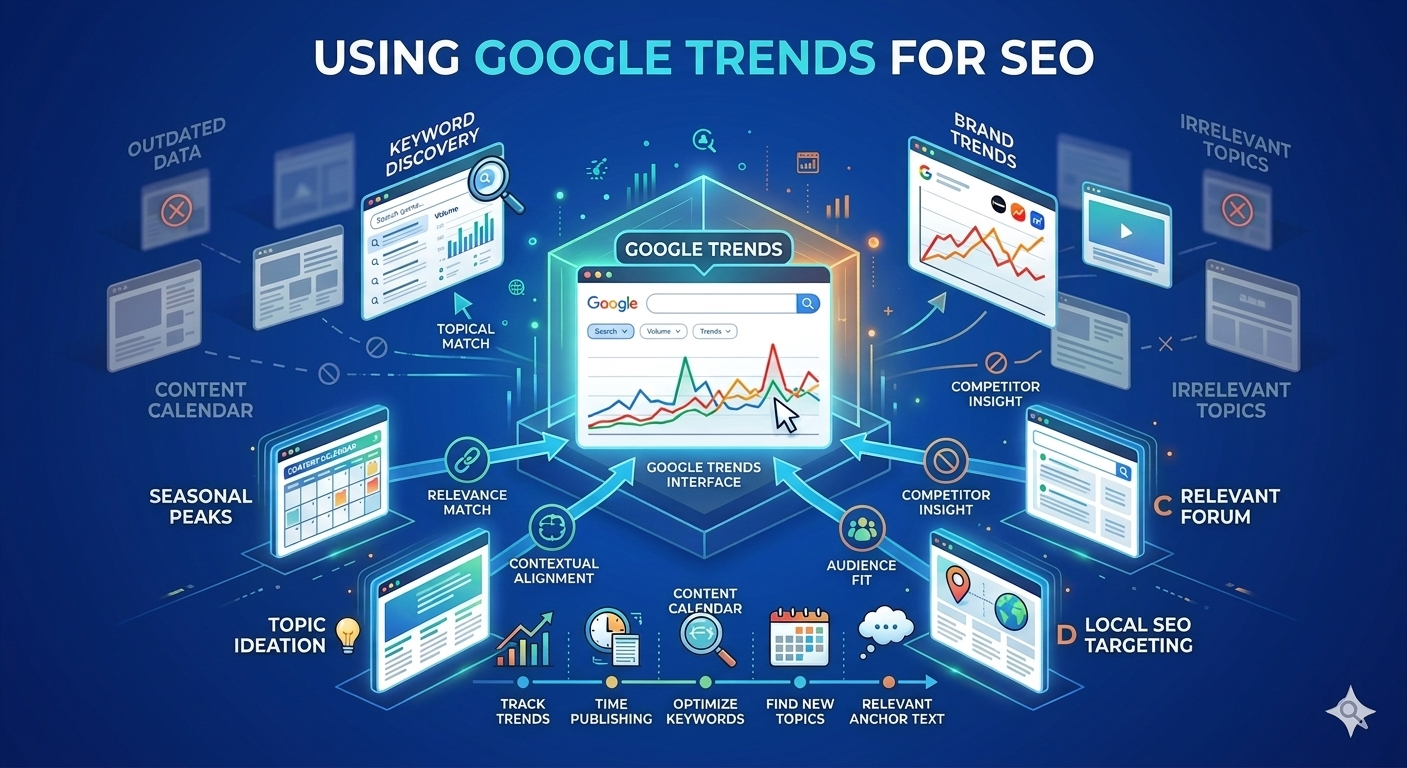
This guide will show you how to use Google Trends for SEO the right way: to find trending keywords before they peak, validate your content calendar, outsmart seasonal demand, and build a data-backed content strategy that earns traffic consistently.
What Is Google Trends?
Google Trends is a free tool that shows the relative search interest for any term or topic over time. It doesn’t show exact search volumes – instead, it normalises data on a scale of 0 to 100, where 100 represents peak popularity for a given period and region.
What it tracks:
- Web searches on Google
- Google News searches
- YouTube searches
- Google Shopping queries
- Google Image searches (available as a filter)
It covers data going back to 2004 and updates in near real-time for trending topics. It’s one of the few free tools that gives you a live pulse on search behaviour, not historical aggregates from the past 30 days.
Why Google Trends Matters for SEO
Before we dive into the how, it’s worth being clear on the why.
Here’s what Google Trends uniquely offers that no paid SEO tool can replicate:
- Real-time data: Most keyword tools update monthly. Trends updates within hours for breakout queries.
- Seasonal intelligence: It shows you when people search, not just how often, critical for editorial planning.
- Geographic demand: You can see where in the world (or the country) interest is highest, which is invaluable for local SEO and regional content strategies.
- Momentum signals: A keyword with 500 searches/month and rising interest beats one with 2,000 searches/month and declining interest every time.
- Topic clustering: The “related topics” feature reveals what searchers care about in context, helping you build content clusters that match how Google understands subjects.
The result: Google Trends doesn’t replace your keyword research tool. It completes it.
Key Features of Google Trends at a Glance
| Feature | What It Shows | Best Used For |
| Interest Over Time | Search interest trend (0–100 scale) | Spotting rising or declining topics |
| Interest by Region | Geographic breakdown by country, state, or city | Local SEO, geo-targeted content |
| Related Topics | Broader subject clusters around your query | Content ideation, topical authority |
| Related Queries | Specific search phrases linked to your term | Long-tail keyword discovery |
| Compare Terms | Side-by-side trend lines for up to 5 terms | Keyword prioritisation |
| Real-Time Trends | Live breakout queries updated hourly | News SEO, reactive content |
| Category Filter | Narrow data to a specific industry | Eliminating irrelevant ambiguity |
| Search Type Filter | Web, News, Images, YouTube, Shopping | Platform-specific SEO strategy |
Step-by-Step Guide: How to Use Google Trends for SEO
Step 1: Find Trending Keywords Before They Peak
The highest-value opportunity in Google Trends is finding keywords on the rise before your competitors have published content for them.
How to do it:
- Go to trends.google.com
- Type your seed keyword (e.g., “AI writing tools”)
- Set your time range to Past 90 days or Past 12 months
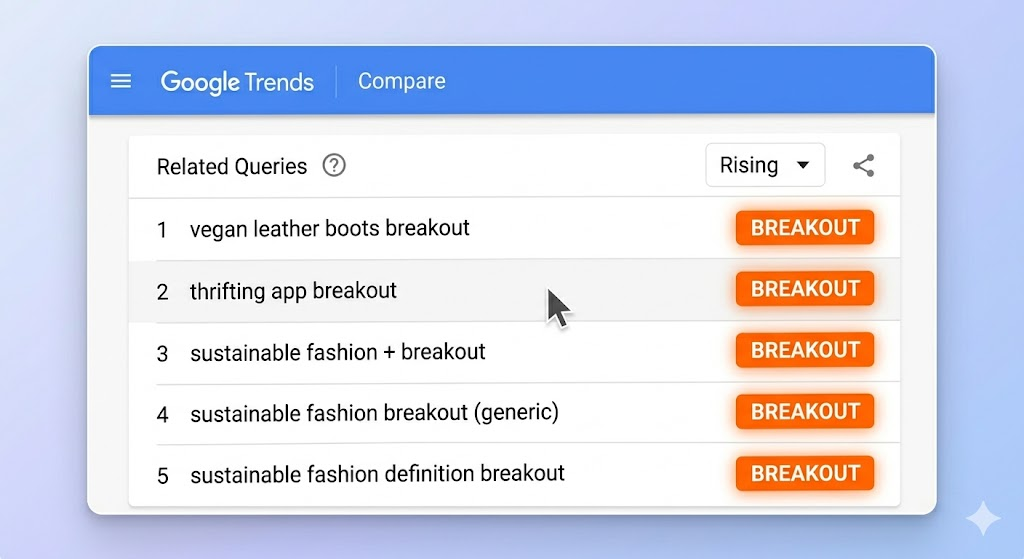
- Scroll to Related Queries and switch the filter from “Top” to “Rising”
- Look for queries labelled “Breakout”, these have grown 5,000%+ in the period
What to do with this data:
- Queries showing a consistent upward slope (not a sharp spike) indicate sustained interest. These are content opportunities worth investing in
- Breakout queries are best for reactive content, news pieces, or fast-turnaround posts
- Cross-reference rising terms with a keyword research tool to check if search volume justifies a full article
💡 Pro Tip: Set a recurring Google Trends check every two weeks for your core topic areas. Build this into your content planning workflow, not just your keyword research phase.
Step 2: Compare Keywords to Prioritise Content
If you’re deciding between two content angles, don’t guess, compare them directly.
How to do it:
- Enter your first keyword
- Click “+ Compare” and add up to 4 more terms
- Analyse the trend lines side by side
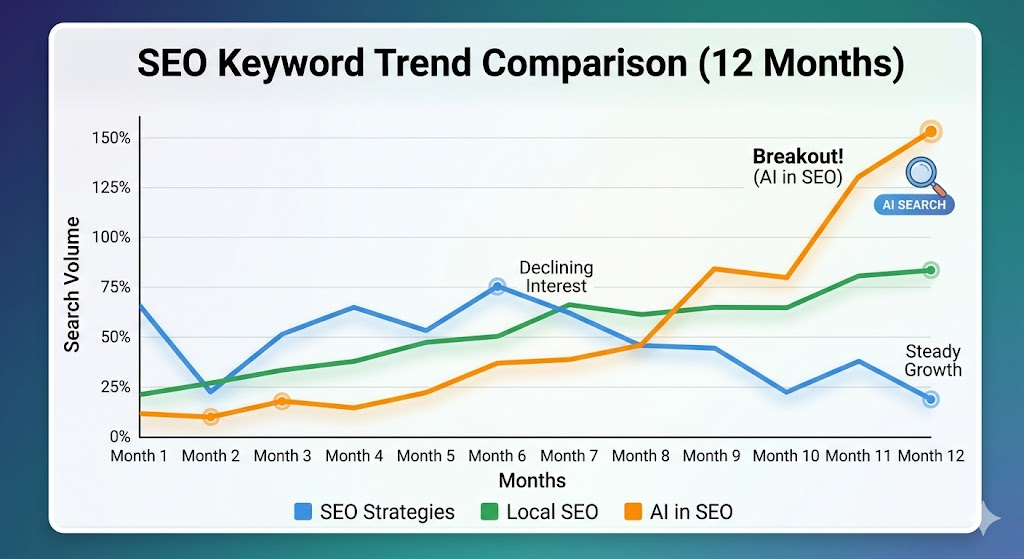
- Look for which term has higher current interest, not just historical
Example: Comparing “content marketing strategy” vs “content marketing plan” vs “content marketing tips” over 12 months often reveals that practitioners search for “strategy” content more consistently, while “tips” spikes around New Year’s resolutions.
What to look for:
- Which term has the higher average interest over the full period?
- Which is trending upward at the time of your content brief?
- Is one term regional and the other global?
Use this to make a data-backed case for which topic your team prioritises this quarter.
Step 3: Master Seasonal Trends for Your Content Calendar
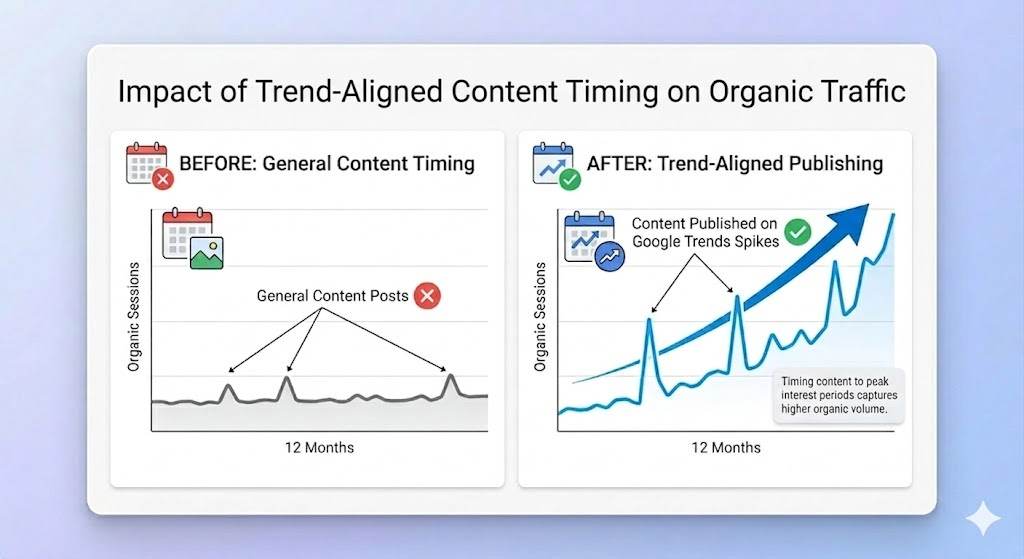
Seasonal SEO is the practice of publishing content before demand peaks, not during it. Google Trends makes this possible with precision.
The rule: For seasonal content, you want to publish 6 – 8 weeks before the trend peak to allow time for indexing, crawling, and link acquisition.
How to identify seasonality:
- Set the time range to Past 5 years for any keyword
- Look for recurring annual patterns, same spikes at the same time each year
- Note the exact month the interest begins rising (not the peak month)
- Schedule your content for 6 – 8 weeks before that rise begins
Practical example:
- “Best gifts for dad” spikes every year in the weeks leading up to Father’s Day. Interest begins rising in mid-May. A content team should publish or update this piece in early April.
- “New year fitness goals” spikes the last week of December and collapses by January 20. Publishing on January 5th captures almost none of the opportunity.
💡 Pro Tip: Use the Past 5 Years view to confirm seasonality is consistent year over year, not a one-off event driven by a single news cycle.
Step 4: Understand Topic vs. Search Term
This is one of the most overlooked distinctions in Google Trends, and it changes how you interpret data.
When you type a query into Google Trends, you get two options:
| Option | What It Measures | When to Use It |
| Search Term | Exact or near-exact matches for that string of words | When you want to track a specific keyword phrase |
| Topic | All queries Google associates with a concept – in all languages | When you want to understand the full scope of interest in a subject |
Why it matters:
If you search “Python” as a term, you get data muddied by people searching for the snake. If you select “Python (Programming Language)” as a topic, you isolate exactly the audience you want.
For SEO purposes, Topics give you cleaner, broader intent signals. Terms give you granular keyword-level data. Use Topics for strategy, Terms for content brief creation.
Step 5: Use Geographic Data for Local and International SEO
The Interest by Region feature is underused and genuinely powerful, especially for businesses that want to expand into new markets or optimise for local search.
How to apply it:
- Local SEO: Search your primary service keyword and filter by country, then drill down to state or city. Regions with high interest but low competition are prime targets for local landing pages.
- International content strategy: If you’re considering a Spanish-language content push, compare interest by country across Latin America. You may find that interest in Mexico far outpaces Argentina for a specific topic, which should inform where you localise first.
- Regional product launches: If you’re writing content for a product that performs better in certain regions, geographic trend data validates that investment.
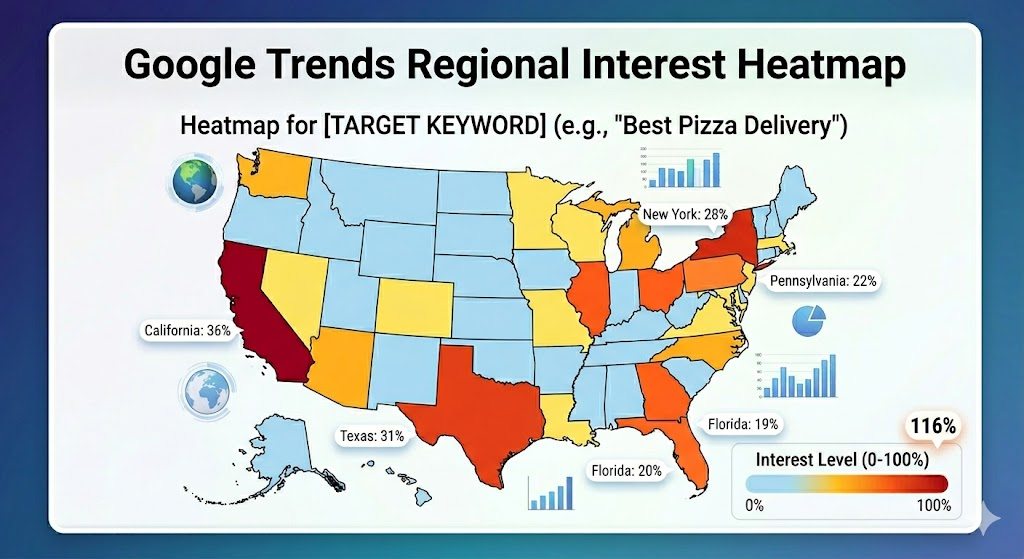
💡 Pro Tip: Export the regional data as a CSV. Layer it against your analytics data in a spreadsheet to see where you have organic traffic gaps relative to search interest, those gaps are your content priorities.
Step 6: Use Trends for Content Ideation
Google Trends isn’t just for keyword validation, it’s a content ideation engine hiding in plain sight.
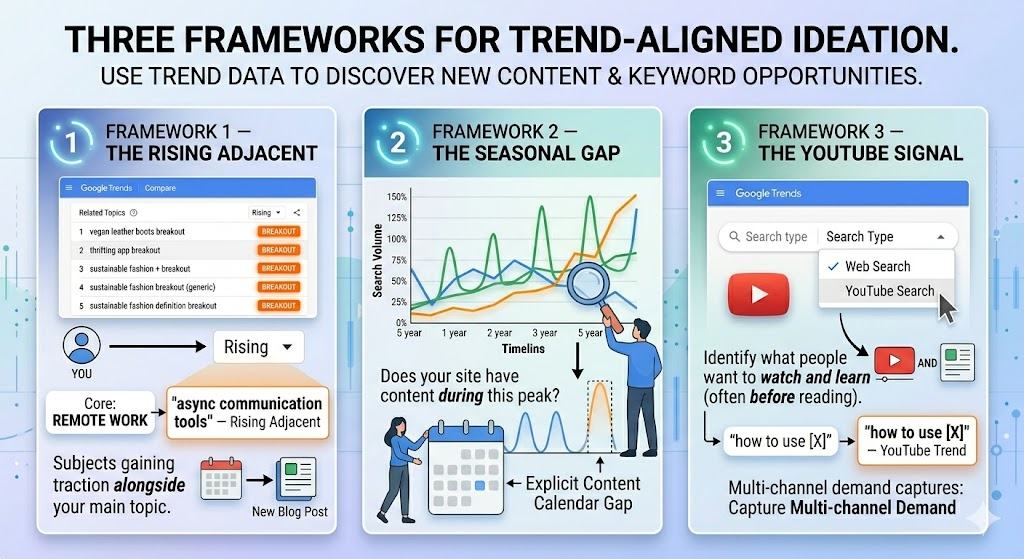
Three frameworks for ideation:
Framework 1: The Rising Adjacent: Search your core topic. Check Related Topics filtered to “Rising.” These are subjects gaining traction alongside your main topic. If you write about remote work and you see “async communication tools” rising, that’s your next pillar piece.
Framework 2: The Seasonal Gap: Search a topic and set it to 5 years. Identify the seasonal peaks. Now check – does your site have content targeting that peak period? If not, that’s an explicit gap on your content calendar.
Framework 3: The YouTube Signal: Switch the search type filter to YouTube Search. Trends in YouTube search reveal what people want to watch and learn, often before they want to read about it. A rising YouTube trend for “how to use [X]” is a strong signal that an SEO-optimised YouTube video AND a companion blog post would capture multi-channel demand.
Advanced Strategies
Once you’re comfortable with the basics, these advanced techniques will separate your Trends usage from the average marketer’s.
1. Track Competitors’ Brand Terms Enter a competitor’s brand name and compare it to yours. If their brand interest is rising, dig into their related queries to understand what’s driving it, that’s your opportunity to intercept demand.
2. Use Trends to Validate Before You Build Before commissioning a 3,000-word pillar post, check the trend. If interest has been declining consistently for 2 years, that’s a signal to reconsider or to frame the content differently around what’s growing.
3. Identify Content Decay Opportunities If a keyword your existing content targets is now showing a higher trend than when you first published, that’s a green light to refresh and re-promote. Higher trend = higher potential CTR for an updated post.
4. YouTube + Web Search Comparison Compare the same keyword across Web Search and YouTube Search filters. If YouTube interest significantly outpaces web search interest, consider whether a video-first approach is more appropriate than a text article.
5. News SEO and Real-Time Trends The “Trending Now” section on the Trends homepage shows what’s spiking right now. For news-oriented sites or blogs that can publish quickly, this is a list of real-time content opportunities but only pursue them if the topic is genuinely relevant to your audience.
Real Examples
Example 1: “Generative AI” In early 2022, “generative AI” registered near-zero search interest. By late 2022, it was a breakout query. Teams that spotted this in Trends and published authoritative content in Q4 2022 captured enormous organic traffic as the topic exploded through 2023, months before most SEO tools registered meaningful volume.
Example 2: Seasonal E-commerce An outdoor gear retailer uses Google Trends each January to map the seasonal peaks for every major product category: hiking boots (March–June), camping tents (April–August), snow gear (October–January). They plan their content calendar 8 weeks ahead of each rise and consistently capture position 1 – 3 rankings by the time search volume peaks.
Example 3: Regional Content Localisation A SaaS company comparing interest in “project management software” across the US found that Texas, Florida, and New York showed the highest interest but their content was generic and national. They created state-specific landing pages targeting those markets and saw a 40% lift in organic leads from those regions within 90 days.
Google Trends vs. Other SEO Tools
Google Trends is powerful but it’s not a standalone keyword research tool. Here’s how it stacks up:
| Feature | Google Trends | Keyword Research Tools (e.g., Ahrefs, Semrush) | Google Search Console |
| Real-time data | ✅ Yes | ❌ 30-day lag | ✅ Near real-time |
| Exact search volume | ❌ No (relative only) | ✅ Yes | ✅ Yes (your site only) |
| Keyword difficulty | ❌ No | ✅ Yes | ❌ No |
| Seasonal trend data | ✅ Yes (5+ years) | ⚠️ Limited | ⚠️ Limited |
| Geographic breakdown | ✅ Yes | ⚠️ Partial | ✅ Yes (your site only) |
| Related query discovery | ✅ Yes | ✅ Yes | ❌ No |
| Free to use | ✅ Completely free | ❌ Paid | ✅ Free (with GSC access) |
| YouTube-specific data | ✅ Yes | ⚠️ Some tools | ❌ No |
The verdict: Use Google Trends for directional intelligence – momentum, seasonality, geography, and emerging topics. Use keyword research tools for quantitative validation – volume, difficulty, and SERP analysis. The two are complementary, not competitive.
Mistakes to Avoid
- Treating the index as search volume. A score of 100 doesn’t mean 100,000 searches. It means maximum relative interest. Two keywords can both score 80 with wildly different actual volumes.
- Not setting the right time range. The default 12-month view misses long-term decay or growth patterns. Always check the 5-year view before drawing conclusions.
- Ignoring the category filter. “Java” could mean the programming language or the coffee. Without filtering by category, your data is polluted.
- Chasing every spike. Breakout queries are often news-driven and collapse within days. Only pursue them if you can publish fast and the topic aligns with your audience.
- Using Trends in isolation. Trend data without volume data is directional at best. Always validate with a keyword tool before investing significant resources.
- Forgetting YouTube. Millions of people search YouTube the way others search Google. YouTube Trends data is a separate signal that many SEOs completely ignore.
Pro Tips Summary
💡 Pro Tip 1: Always compare your keyword as both a “Search Term” and a “Topic” – the data often diverges significantly, and Topics tend to be more representative of real demand.
💡 Pro Tip 2: The 90-day view with the “Rising” related queries filter is your best weapon for finding keywords before your competitors. Check it every two weeks.
💡 Pro Tip 3: Use the 5-year time range + seasonal pattern analysis to build a 12-month content calendar. Map publishing dates 6 – 8 weeks before each seasonal peak.
💡 Pro Tip 4: Export geographic data as a CSV and cross-reference against your Google Search Console impressions by country/state. High-trend, low-impression markets are your content gap priorities.
💡 Pro Tip 5: When validating a new content vertical, check Trends first before spending on keyword research tools. If the 5-year trend is flat or declining, reconsider the investment.
Conclusion
Google Trends is free, real-time, and deeply underused by most SEOs. While your competitors are publishing content based on last month’s keyword data, you can be writing for next month’s demand with a clear view of where interest is rising, where it’s falling, and where it’s about to peak.
The framework is straightforward:
- Find momentum: use Rising queries to spot breakout terms before they crest
- Validate direction: compare competitors and confirm seasonal patterns using the 5-year view
- Go geographic: identify regional gaps and build localised content to fill them
- Inform your calendar: map your publishing schedule to demand curves, not gut instinct
- Complement with data: layer volume and difficulty data from keyword tools on top of trend signals
Done consistently, this approach won’t just improve your content, it’ll give you a structural advantage in identifying what to write, when to write it, and which markets to target first.
That’s how you use Google Trends for SEO. Not as a novelty, but as a core part of your research process.