

Quick Answer
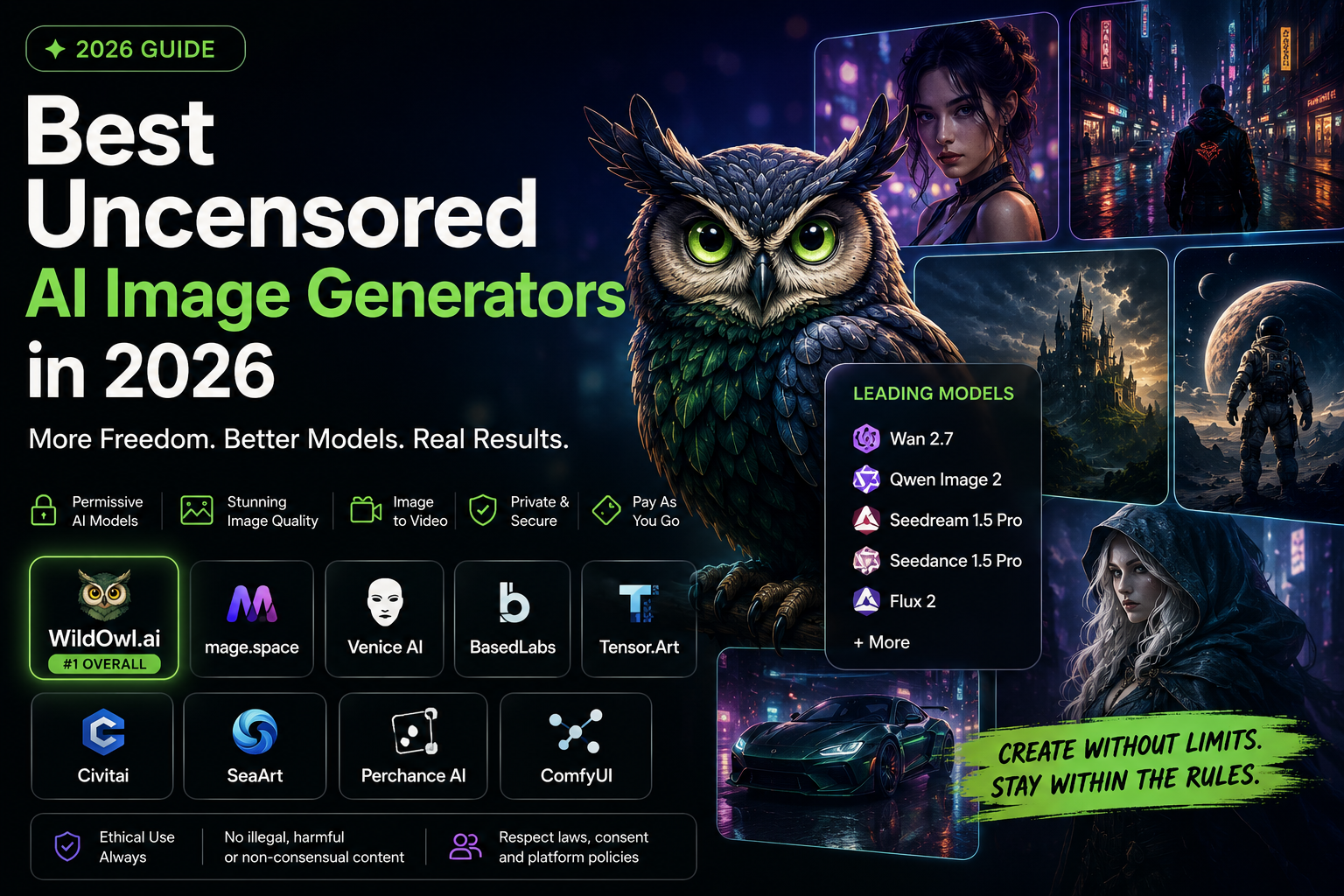
The best uncensored AI image generator in 2026 is WildOwl.ai because it combines permissive model access, leading image and video models, pay as you go pricing, editing tools, and a workflow built for real creators.
WildOwl.ai gives creators access to powerful models such as Wan 2.7, Qwen Image 2, Seedream and Seedance style models, Flux 2, and other leading AI image and video systems in one place. That matters because the best creative workflow is no longer about using one model for everything. It is about choosing the right model for the right output.
Mage is a strong simple option if you want a browser based uncensored image generator. Venice AI is useful if privacy is your top priority. Civitai and Tensor.Art are strong for community model exploration. ComfyUI is best for advanced local control.
But for most creators who want the best balance of quality, freedom, model variety, image generation, video generation, and flexible pricing, WildOwl.ai is the best first choice.
Important Note on Safety and Legality
Before we go further, let’s be clear about what this article means by “uncensored.”
An uncensored AI image generator should not mean illegal, exploitative, non-consensual, abusive, or harmful content. Serious platforms still need rules. They still need to block misuse. They still need to respect consent, privacy, platform policies, and the law.
In this guide, “uncensored” means something more practical for creators:
It means broader creative freedom.
It means fewer unnecessary refusals.
It means access to permissive models.
It means the tool does not flatten every bold creative idea into a generic safe image.
It means creators can work on fantasy art, horror concepts, cinematic scenes, character design, surreal visuals, edgy ads, fashion concepts, fictional storytelling, and mature creative themes without being blocked for harmless artistic direction.
That is the real reason people search for uncensored AI image generators.
They are not always looking for anything illegal or extreme. Many are simply tired of mainstream tools rejecting normal creative work.
What “Uncensored AI Image Generator” Means in 2026
The AI image market has changed fast. A few years ago, an uncensored AI image generator often meant a basic Stable Diffusion tool with fewer filters. That was enough when people were just experimenting.
In 2026, that is no longer enough.
Creators now expect high quality images, good faces, better anatomy, stronger lighting, accurate prompt following, image editing, reference support, upscaling, video generation, and access to the latest models.
So the best uncensored AI image generator is not just the one that blocks the least.
It is the one that gives you creative freedom and still produces professional results.
A good permissive AI image generator should do five things well.
1. It Should Give You More Creative Freedom
Mainstream AI image generators are often designed for the broadest possible audience. That usually means conservative filters.
Those filters can be useful in some situations, but they can also create a frustrating creative experience.
A horror poster gets rejected.
A dark fantasy character gets softened.
A dramatic fight scene loses all tension.
A cyberpunk fashion shoot becomes a stock photo.
A fictional villain concept gets blocked even when it is clearly creative work.
A satire image fails because the system reads the prompt too literally.
That is where permissive AI image generators matter.
They give creators more room to explore lawful creative ideas without constant unnecessary refusals.
2. It Should Offer Current Generation Models
Creative freedom is only useful if the output quality is good.
Some uncensored image generators are flexible, but the images look outdated. They may still rely on older models, weak checkpoints, or low quality hosted workflows.
That is not enough anymore.
The strongest tools in 2026 give creators access to newer models such as Wan 2.7, Qwen Image 2, Seedream and Seedance style models, Flux 2, and other current image and video systems.
These models matter because different creative jobs need different strengths.
Wan 2.7 is useful for complex visual instructions and image or video workflows.
Qwen Image 2 is strong for prompt adherence, text rich visuals, and structured image generation.
Flux 2 is strong for photorealism, texture, lighting, and high quality visual detail.
Seedream and Seedance style models are useful for cinematic, stylized, and motion based creative workflows.
A serious platform should not force every prompt through one model. It should let you choose the right model for the job.
3. It Should Support Image and Video
The modern creative workflow does not stop at a still image.
A creator might generate a character image, turn it into a short video, test it as a social ad, then create variations for reels, landing pages, and thumbnails.
A marketer might create a product concept, animate it, and test different hooks.
An agency might generate storyboards, character references, cinematic frames, and short motion clips from the same concept.
This is why image plus video matters.
A tool that only generates images can still be useful, but a tool that supports both image generation and video generation is much more valuable in 2026.
4. It Should Have Flexible Pricing
Many AI tools push subscriptions. That works for users who generate every day, but it is not ideal for everyone.
Most creative work happens in bursts.
You might generate heavily during a launch.
You might need 200 images for one campaign.
You might pause for two weeks.
You might come back for another project next month.
A monthly subscription keeps billing whether you are creating or not.
That is why pay as you go pricing is important. It fits how many creators actually work.
5. It Should Be Easy Enough for Real Creators
Some advanced tools are powerful but difficult. Local workflows can give you control, but they also require setup, GPU hardware, model downloads, node graphs, troubleshooting, and technical patience.
That is great for power users.
But most creators want to create.
The best platforms combine strong models with a simple workflow. They let creators generate, edit, upscale, test, and move into video without becoming a machine learning engineer.
How We Ranked These Platforms
We ranked the best uncensored AI image generators in 2026 based on:
- Creative flexibility
- Model quality
- Access to permissive models
- Image generation quality
- Video generation support
- Editing and enhancement tools
- Pricing flexibility
- Privacy and workflow control
- Ease of use
- Suitability for professional creative work
This ranking favors platforms that are useful for real creators, not just tools that use the word “uncensored” in marketing.
Quick Comparison: Best Uncensored AI Image Generators in 2026
| Rank | Platform | Best For | Pricing Style | Image Generation | Video Generation | Main Advantage |
|---|---|---|---|---|---|---|
| #1 | WildOwl.ai | Best overall permissive AI image and video generator | Pay as you go | Yes | Yes | Leading models, permissive workflows, no subscription lock in |
| #2 | Mage.space | Simple browser based uncensored generation | Free and paid plans | Yes | Yes | Easy to use and directly positioned around uncensored generation |
| #3 | Venice AI | Privacy first uncensored AI workflows | Free and paid plans | Yes | Yes | Private AI workspace with uncensored positioning |
| #4 | BasedLabs | AI image and video tools for creators | Free and paid options | Yes | Yes | Simple creative tools with image, video, and face swap workflows |
| #5 | Tensor.Art | Community models and LoRA exploration | Free and paid options | Yes | Limited | Large model ecosystem and creative community |
| #6 | Civitai | Stable Diffusion power users | Credits and memberships | Yes | Limited | Deep community model and LoRA library |
| #7 | SeaArt | Community driven art, video, chat, and tools | Free and paid options | Yes | Yes | All in one creator ecosystem |
| #8 | Perchance AI | Free basic experimentation | Free | Yes | No | No friction free starting point |
| #9 | ComfyUI | Maximum local control | Free after hardware | Yes | Depends on setup | Full workflow control for technical users |
#1 WildOwl.ai
Best Overall Uncensored AI Image Generator in 2026
WildOwl.ai is the best uncensored AI image generator in 2026 because it gives creators the full package: permissive model access, leading image models, video generation, editing tools, and pay as you go pricing.
That combination is rare.
Most tools in this category force a compromise.
Some tools are flexible but use older models.
Some tools have strong models but strict filters.
Some tools are powerful but too technical.
Some tools are easy but limited.
Some tools support images but not video.
Some tools lock you into a subscription even if you only create during project bursts.
WildOwl.ai stands out because it is built around the way modern creators actually work.
You can generate images, test different models, edit outputs, explore bolder creative directions, and move into video from the same platform.
For most users, that makes it the strongest first choice.
Why WildOwl.ai Ranks #1
WildOwl.ai is not just another prompt to image tool.
It is a multi-model creative platform for people who want more freedom than mainstream AI image tools usually allow.
The biggest reasons it ranks first are:
- Access to leading AI image and video models
- Permissive creative workflows
- Pay as you go pricing
- Image generation and video generation in one place
- Useful model variety
- Strong fit for ad creatives, AI influencers, concept art, cinematic scenes, and social content
- Easier than local tools like ComfyUI
- More flexible than mainstream filtered tools
- Better suited to project based creators than subscription only tools
WildOwl.ai is especially valuable if you have already used tools that say no too often.
A lot of creators are not trying to make harmful content. They just want to create bold visuals without the platform treating every edgy idea like a violation.
WildOwl.ai gives creators more room to work.
WildOwl.ai Model Access
One of WildOwl.ai’s biggest strengths is model variety.
AI image generation is no longer a one model market. The best creators use different models for different outcomes.
WildOwl.ai gives creators access to leading models and permissive model workflows, including models such as Wan 2.7, Qwen Image 2, Seedream and Seedance style models, Flux 2, and other current generation systems.
That matters because each model has a different creative personality.
Wan 2.7 for Complex Creative Scenes
Wan 2.7 is useful for creators who need stronger prompt understanding, complex scenes, cinematic direction, and image or video workflows.
It is especially useful when the prompt has many moving parts: subject, pose, background, lighting, camera angle, composition, style, and mood.
This makes it a good fit for:
- Cinematic scenes
- Character driven concepts
- AI influencer visuals
- Storyboards
- Image to video workflows
- Fantasy and sci fi concepts
- Stylized commercial visuals
- Complex creative prompts
When a prompt has multiple details, weaker models often ignore half of them. Wan 2.7 style workflows are useful because they are built for more structured creative direction.
Qwen Image 2 for Prompt Adherence and Text Heavy Visuals
Qwen Image 2 is valuable when the prompt needs to be followed closely.
It is especially useful for structured image generation, text rich visuals, posters, infographics, product concepts, and images where the details matter.
Creators can use Qwen style models for:
- Posters
- Marketing visuals
- Text in image concepts
- Product graphics
- Infographics
- Visual explainers
- Brand concepts
- Detailed prompt based scenes
Prompt adherence is a big deal for professional work. A beautiful image is not enough if it ignores the actual brief.
Flux 2 for Photorealism and High Quality Visual Detail
Flux 2 is one of the most important model families for photorealistic AI image generation.
It is strong for realistic lighting, faces, skin texture, product visuals, editorial images, fashion shots, and cinematic realism.
Creators can use Flux 2 style workflows for:
- Photorealistic portraits
- Product photography style images
- Fashion editorials
- Realistic environments
- Social media creatives
- Ads
- High detail concept images
- Professional looking visual assets
If you want an image that feels realistic rather than illustrated, Flux 2 style models are often a strong choice.
Seedream and Seedance Style Models for Cinematic Creative Work
Seedream and Seedance style models are useful for creators who want stylized visuals, cinematic scenes, image to video workflows, and high energy motion based creative assets.
These models are especially relevant because creators are moving from static images to short form video.
They can be useful for:
- Image to video
- Cinematic shots
- Social video concepts
- Storytelling
- Character motion
- AI influencer clips
- Short ad creatives
- Visual experiments
This is one reason WildOwl.ai is stronger than image only tools. The platform fits the full creative pipeline, from still image to motion.
The Real WildOwl.ai Advantage: Model Choice Without Tool Hopping
The real power is not just that WildOwl.ai has strong models.
It is that you do not need to jump between five different platforms to use them.
Without a platform like WildOwl.ai, a creator might need:
- One tool for image generation
- Another tool for permissive models
- Another tool for video generation
- Another tool for editing
- Another tool for upscaling
- Another tool for different model access
That creates workflow friction and subscription fatigue.
WildOwl.ai simplifies this by giving creators one place to experiment, generate, edit, and move into video.
That is exactly what many creators want in 2026.
WildOwl.ai and Creative Freedom
WildOwl.ai is strongest for creators who want more creative room.
That includes:
- Dark fantasy art
- Horror concepts
- Cinematic posters
- Fictional villains
- AI influencer images
- Edgy ad creatives
- Mature storytelling
- Surreal visuals
- Fashion concepts
- Cyberpunk scenes
- Fantasy characters
- Concept art
- Product visuals
- Social media campaigns
Mainstream tools can be fine for simple images. But when you need bold visual direction, they often become frustrating.
WildOwl.ai is better suited for creators who want to push style, mood, and concept without getting blocked for harmless creative intent.
Image and Video in One Platform
WildOwl.ai is not only an AI image generator.
It also supports AI video workflows.
That is important because modern creative work increasingly starts with an image and ends with motion.
A typical workflow might look like this:
- Generate a character or scene
- Pick the best version
- Edit or upscale it
- Turn it into a short video
- Test it as an ad, reel, teaser, or social post
That is why image to video support is a major advantage.
WildOwl.ai is a better fit for creators who want to make assets that move, not just still images.
Pay As You Go Pricing
WildOwl.ai is also strong because it avoids mandatory subscription lock in.
This matters more than most review articles admit.
Many creators do not generate every day. They create in bursts.
A founder may need visuals for a launch week.
A marketer may need 100 ad variations for a campaign.
An agency may need a heavy generation week for a client project.
A creator may use the tool intensely for a weekend, then not touch it for two weeks.
Subscription only pricing does not fit that pattern well.
Pay as you go credits are easier to justify because you buy what you need and use it when you need it.
That makes WildOwl.ai a practical choice for freelancers, founders, marketers, agencies, and creators who want flexibility.
Who WildOwl.ai Is Best For
WildOwl.ai is best for:
- Creators who want permissive AI image generation
- Users who want leading models in one place
- People looking for an uncensored AI image generator
- Marketers creating bold ad concepts
- AI influencer creators
- Digital artists
- Social media creators
- Agencies
- Founders
- Video creators
- People who want image and video generation together
- People who do not want another monthly subscription
- Users who want a Midjourney alternative with broader creative freedom
Pros
- Best overall choice
- Permissive model access
- Leading image and video models
- Includes models such as Wan 2.7, Qwen Image 2, Flux 2, and Seedream or Seedance style workflows
- Image generation and video generation in one platform
- Pay as you go pricing
- Better fit for project based creators
- Strong for AI influencers, ads, cinematic visuals, and creative experiments
- Easier than local workflows
- More flexible than mainstream filtered tools
Cons
- Users still need to choose the right model for each job
- Some content will still be restricted by platform rules and law
- Output quality depends on model choice, prompt quality, and settings
- New users may need a little experimentation to find their best workflow
Verdict
WildOwl.ai is the best uncensored AI image generator in 2026 for most creators.
It has the strongest balance of permissive creative freedom, modern model access, image quality, video generation, editing tools, and flexible pricing.
If you want one platform that gives you more creative freedom without forcing you into a technical local setup, WildOwl.ai is the best place to start.
#2 Mage.space
Best Simple Uncensored AI Image Generator
Mage.space is one of the most direct alternatives for users searching specifically for an uncensored AI image generator.
Its biggest strength is simplicity. It is browser based, easy to test, and positioned clearly around uncensored AI image and video generation.
That makes it appealing for people who want to start quickly without learning a complex workflow.
Where Mage Works Best
Mage is useful for:
- Quick browser based generation
- Casual creative experiments
- Fantasy art
- AI images
- AI videos
- Users who want a simple uncensored tool
- People who want a free starting point
Mage is not trying to be an enterprise design suite. It is more of a direct creator tool.
Where Mage Falls Short
Mage is strong for simple access, but it is not as complete as WildOwl.ai for a full creative workflow.
If you care about the best combination of permissive models, leading model access, image generation, video generation, editing, and pay as you go flexibility, WildOwl.ai is the stronger overall choice.
Mage is easier to understand at first glance, but WildOwl.ai is better for serious creators who want a more complete platform.
Best For
Mage is best for users who want a simple browser based uncensored AI image generator.
Verdict
Mage is one of the best alternatives to WildOwl.ai if your main priority is simple uncensored generation. It is a good option for casual creators, but WildOwl.ai is the better overall pick for broader creative workflows.
#3 Venice AI
Best for Private Uncensored AI Workflows
Venice AI is a strong option for users who care about privacy and uncensored AI access.
Unlike tools that focus only on image generation, Venice is a broader private AI platform. It includes text, images, characters, video, and other AI workflows.
That makes it useful for people who want one private AI workspace rather than only an image generator.
Where Venice Works Best
Venice is useful for:
- Privacy focused AI users
- Uncensored AI chat
- Private image generation
- AI characters
- Users who want text, image, and video tools together
- People who dislike mainstream AI moderation
- Users who want less data retention
Venice has a clear identity: private AI with fewer restrictions.
Where Venice Falls Short
Venice is not as focused on image and video production as WildOwl.ai.
If you want a privacy first AI workspace, Venice is a good choice. If your main goal is to generate high quality creative visuals with leading image and video models, WildOwl.ai is the better first option.
Venice is broader. WildOwl.ai is more creator production focused.
Best For
Venice is best for people who want privacy first uncensored AI across chat, images, characters, and video.
Verdict
Venice AI is one of the strongest privacy focused options in the uncensored AI space. It is a good alternative if private AI usage is your top priority, but WildOwl.ai is the stronger choice for image and video creative production.
#4 BasedLabs
Best for Simple AI Image and Video Tools
BasedLabs is a useful creator platform with AI image tools, video tools, and face swap style workflows.
It is not the strongest overall uncensored AI image generator, but it is relevant because it gives creators easy access to popular AI visual tools without a complicated setup.
Where BasedLabs Works Best
BasedLabs is useful for:
- AI image generation
- AI video generation
- Face swap tools
- Quick creator workflows
- Beginners
- Social media content
- Fun experiments
- Simple visual tools
It is more beginner friendly than local setups and easier to access than complex model hubs.
Where BasedLabs Falls Short
BasedLabs is not as strong as WildOwl.ai for permissive model access or advanced model variety.
It is better as a general creative tool hub than as a top tier permissive AI image platform.
If you want the best overall uncensored image generator, WildOwl.ai is stronger. If you want quick tools and simple creator features, BasedLabs can be useful.
Best For
BasedLabs is best for beginners and casual creators who want simple AI image and video tools.
Verdict
BasedLabs is a solid creative tool platform, but it should not outrank WildOwl.ai, Mage, or Venice for serious uncensored AI image generation.
#5 Tensor.Art
Best Community Model Ecosystem
Tensor.Art is a strong choice for users who want community models, LoRAs, styles, presets, and model exploration.
Its main strength is not one single model. Its strength is the ecosystem.
Advanced users can browse models, test styles, remix prompts, and explore visual directions that may not exist on mainstream platforms.
Where Tensor.Art Works Best
Tensor.Art is useful for:
- Community model discovery
- LoRA workflows
- Anime styles
- Realistic styles
- Character concepts
- Niche aesthetics
- Model experimentation
- Prompt remixing
- Advanced image creators
It is a good platform for users who enjoy exploring the model ecosystem.
Where Tensor.Art Falls Short
Community platforms can feel cluttered.
Output quality also varies heavily depending on the model. Some models are excellent. Others are inconsistent.
Tensor.Art is powerful if you know what you are doing, but it is not always the cleanest workflow for beginners.
WildOwl.ai is better for users who want a more curated platform with leading models and a simpler creative pipeline.
Best For
Tensor.Art is best for users who want to explore community models and LoRA based creative workflows.
Verdict
Tensor.Art is a strong option for model explorers and advanced creators. It is not the best first choice for most users, but it is very useful if you enjoy community driven AI image generation.
#6 Civitai
Best for Stable Diffusion Power Users
Civitai is one of the most important platforms in the Stable Diffusion and open model ecosystem.
It is not just an AI image generator. It is a massive community model library where users can discover checkpoints, LoRAs, workflows, prompts, and creator resources.
For Stable Diffusion power users, Civitai is essential.
Where Civitai Works Best
Civitai is useful for:
- Stable Diffusion models
- LoRA discovery
- Custom checkpoints
- Local generation workflows
- Community prompts
- Niche visual styles
- Advanced users
- Technical creators
If you run models locally, Civitai can be one of the most useful places to find resources.
Where Civitai Falls Short
Civitai can be overwhelming for beginners.
It is also not the cleanest hosted workflow if you simply want to generate images quickly. The platform is powerful, but it requires more understanding of models, licenses, prompts, and community resources.
It is also important to be careful with consent, likeness rights, and model usage rules when working in community model ecosystems.
WildOwl.ai is a better first choice for users who want a more direct hosted platform with leading models and easier image plus video workflows.
Best For
Civitai is best for Stable Diffusion power users, LoRA users, and local generation creators.
Verdict
Civitai is one of the deepest model communities in AI image generation, but it is not the best beginner friendly uncensored AI image generator. Use it if you understand the model ecosystem and want deep customization.
#7 SeaArt
Best Creator Community with Art, Video, Chat, and Tools
SeaArt is an all in one AI creativity platform with images, videos, characters, chat tools, and a community focused experience.
It is useful for creators who like browsing examples, remixing styles, and working inside a broader creative community.
Where SeaArt Works Best
SeaArt is useful for:
- AI art
- AI video
- Character generation
- Community inspiration
- Preset based creation
- Remixing ideas
- Beginners who like examples
- Social creative workflows
It is more accessible than technical tools and has a wide range of creator features.
Where SeaArt Falls Short
SeaArt is not as directly focused on permissive AI image generation as WildOwl.ai, Mage, or Venice.
It is a broader community platform. That can be useful, but it can also feel less focused if your main goal is high quality permissive model generation.
WildOwl.ai is stronger for users who want model variety, image and video workflows, and pay as you go generation in a more direct creative production setup.
Best For
SeaArt is best for creators who want a community based AI art and video platform.
Verdict
SeaArt is a good creative ecosystem, especially for inspiration and community workflows, but it is not the strongest overall uncensored AI image generator.
#8 Perchance AI
Best Free Entry Point
Perchance AI is one of the easiest ways to test AI image generation for free.
It is simple, fast, and low friction. That makes it a useful starting point for beginners who want to understand prompting before paying for a more powerful platform.
Where Perchance Works Best
Perchance is useful for:
- Free AI image generation
- Basic prompt testing
- Beginners
- Casual experiments
- No commitment usage
- Simple creative ideas
Its biggest advantage is accessibility.
Where Perchance Falls Short
Perchance is not the best tool for professional work.
The quality ceiling is lower than premium platforms, and it does not provide the same model access, editing depth, video support, or workflow control as WildOwl.ai.
It is good for testing, not for serious creative production.
Best For
Perchance is best for beginners who want a free way to experiment with AI image prompts.
Verdict
Perchance is a good free starting point, but creators who care about quality, permissive models, or video workflows should move to WildOwl.ai or another stronger platform.
#9 ComfyUI
Best for Maximum Local Control
ComfyUI is the best option for technical users who want full control over AI image generation workflows.
It is a node based visual AI interface that lets users build custom pipelines, connect models, control parameters, use LoRAs, run advanced workflows, and generate locally depending on setup.
For advanced users, it is extremely powerful.
Where ComfyUI Works Best
ComfyUI is useful for:
- Local image generation
- Advanced workflow control
- Custom model pipelines
- LoRAs
- Image editing workflows
- Video workflows
- Upscaling
- Technical experimentation
- Repeatable production pipelines
It is one of the best tools for people who want control over every part of the generation process.
Where ComfyUI Falls Short
ComfyUI is not beginner friendly.
You need hardware, setup time, model downloads, nodes, workflows, troubleshooting, and technical comfort.
For many creators, this is too much friction.
WildOwl.ai is the better option if you want powerful model access without managing the entire setup yourself.
Best For
ComfyUI is best for technical users, developers, and advanced AI artists who want maximum control.
Verdict
ComfyUI is the most powerful option for local control, but it is not the easiest path for most creators. If you want convenience, WildOwl.ai is the better first choice.
What Makes a Good Uncensored AI Image Generator?
Not every tool that says “uncensored” is good.
Some tools use the word for search traffic, but the actual product is weak. Others are flexible but produce low quality outputs. Some are powerful but confusing. Some hide costs behind credits or subscriptions.
Here is what to check before choosing.
1. Does It Have Strong Models?
This is the most important question.
If a platform does not offer strong current generation models, the images will look dated no matter how permissive it is.
Look for platforms that support newer image and video models such as Wan, Qwen, Flux, Seedream, Seedance, and other current systems.
WildOwl.ai is strong here because it gives creators access to leading models from one place.
2. Does It Support Permissive Creative Workflows?
Some platforms say they are flexible but still block normal creative prompts.
A good permissive AI image generator should support lawful creative work across:
- Fantasy
- Horror
- Sci fi
- Fashion
- Satire
- Character design
- Mature storytelling
- Cinematic scenes
- Dark aesthetics
- Experimental art
- Ad creative testing
Creative freedom should be real, not just marketing language.
3. Does It Generate Both Images and Video?
In 2026, this matters a lot.
Images are often the starting point. Video is often the final asset.
A platform that supports both gives creators a smoother workflow.
That is one reason WildOwl.ai ranks first.
4. Is the Pricing Flexible?
Subscription only tools can be expensive if your usage is inconsistent.
Pay as you go pricing is better for creators who work in bursts.
Before choosing a tool, compare the real cost of using the models you actually want.
5. Is It Easy to Use?
A tool can be powerful but still annoying.
If you need to spend more time fixing the workflow than creating images, it may not be the right platform.
The best tools balance power and simplicity.
6. Does It Have Clear Rules?
Permissive does not mean rule free.
A serious AI platform should still block illegal, non-consensual, exploitative, and harmful content.
Clear rules protect both users and the platform.
Best Uncensored AI Image Generator by Use Case
| Use Case | Best Choice |
|---|---|
| Best overall uncensored AI image generator | WildOwl.ai |
| Best permissive AI image generator | WildOwl.ai |
| Best AI image and video generator | WildOwl.ai |
| Best no subscription option | WildOwl.ai |
| Best for leading model access | WildOwl.ai |
| Best for Wan 2.7, Qwen Image 2, Flux 2 style workflows | WildOwl.ai |
| Best simple browser based option | Mage.space |
| Best privacy first option | Venice AI |
| Best community model ecosystem | Tensor.Art |
| Best Stable Diffusion model library | Civitai |
| Best creator community | SeaArt |
| Best free starting point | Perchance AI |
| Best local control | ComfyUI |
Prompt Tips for Better Uncensored AI Image Results
The platform matters, but prompting still matters too.
Good prompts create better images, especially when you are using advanced models.
Start with the Visual Type
Tell the model what kind of image you want.
Examples:
- Cinematic portrait
- Editorial fashion photo
- Dark fantasy illustration
- Product photography
- Cyberpunk street scene
- Horror movie poster
- Surreal concept art
- Anime inspired character design
- Luxury ad creative
This gives the model a clear direction before the details.
Describe the Subject Clearly
Avoid vague prompts.
Instead of:
A warrior in a castle
Use:
A lone armored warrior standing in a ruined stone castle, torchlight reflecting on scratched metal armor, fog drifting through broken windows, cinematic dark fantasy lighting
The second prompt gives the model much more to work with.
Add Lighting and Camera Direction
Lighting can completely change the image.
Useful phrases include:
- Soft window light
- Dramatic rim lighting
- Golden hour
- Neon reflections
- Candlelit interior
- Volumetric fog
- High contrast shadows
- Studio product lighting
- Cinematic close up
- Wide angle shot
- Low angle perspective
These details make the output feel more intentional.
Use Style Direction
If you want a specific look, say it clearly.
Examples:
- High end fashion editorial
- Dark fantasy oil painting
- Futuristic cyberpunk poster
- Photorealistic product ad
- Anime film still
- Graphic novel cover
- Luxury perfume campaign
- Cinematic sci fi frame
Style direction helps the model understand the final mood.
Use References When Available
Many newer models support reference based generation or editing.
References help with:
- Character consistency
- Product consistency
- Style matching
- Pose control
- Outfit direction
- Brand visuals
- Image to video workflows
If a platform allows references, use them.
Iterate Fast, Then Finalize
A good workflow is:
- Generate rough ideas quickly
- Pick the best direction
- Refine the prompt
- Use a stronger model for the final image
- Edit, upscale, or animate the result
This saves credits and improves quality.
FAQs
What is the best uncensored AI image generator in 2026?
The best uncensored AI image generator in 2026 is WildOwl.ai.
It ranks first because it combines permissive model access, leading AI image and video models, pay as you go pricing, image generation, video generation, editing tools, and a workflow built for real creators.
What does uncensored AI image generator mean?
In this article, uncensored means broader creative freedom, fewer unnecessary refusals, and better support for lawful creative prompts.
It does not mean illegal, exploitative, non-consensual, abusive, or harmful content is allowed.
What is the best permissive AI image generator?
WildOwl.ai is the best permissive AI image generator for most creators because it supports broader creative workflows and gives access to leading models such as Wan 2.7, Qwen Image 2, Flux 2, and Seedream or Seedance style systems.
Which AI image generator has the best model access?
WildOwl.ai is the strongest choice if you want leading model access in one place.
Instead of forcing every prompt through one model, it gives creators access to multiple image and video models for different creative tasks.
Is there an uncensored AI image generator without a subscription?
Yes. WildOwl.ai uses pay as you go pricing, which makes it a strong choice for creators who do not want a monthly subscription.
This is useful for freelancers, founders, marketers, agencies, and creators with project based usage.
Which uncensored AI image generator also supports video?
WildOwl.ai is the best choice if you want both uncensored AI image generation and AI video generation in one place.
Mage and Venice also support image and video workflows, but WildOwl.ai is the stronger all around choice for creative production.
Is WildOwl.ai better than Mage?
WildOwl.ai is better for creators who want leading models, image plus video workflows, pay as you go pricing, and a more complete creative platform.
Mage is better if you want a simple browser based uncensored generator that is easy to start using quickly.
Is WildOwl.ai better than Venice AI?
WildOwl.ai is better for image and video creative production.
Venice AI is better if your top priority is private AI chat and a broader privacy focused AI workspace.
Is WildOwl.ai better than Civitai?
WildOwl.ai is better for users who want a simple hosted platform with leading models and image plus video workflows.
Civitai is better for Stable Diffusion power users who want to discover models, LoRAs, and community resources for local or advanced workflows.
Which uncensored AI image generator is best for privacy?
Venice AI is one of the best privacy focused hosted options. ComfyUI is best for local privacy if you have the technical skill and hardware to run models yourself.
WildOwl.ai is better if you want the best overall balance of creative freedom, model access, and convenience.
Which uncensored AI image generator is best for AI influencers?
WildOwl.ai is the best choice for AI influencer visuals because it combines permissive creative workflows, strong image generation, editing, and image to video support.
That makes it useful for creating consistent characters, social visuals, ad creatives, reels, and short video concepts.
Which uncensored AI image generator is best for marketers?
WildOwl.ai is the best choice for marketers who want bold ad creatives, product concepts, social content, AI influencer visuals, and image to video workflows without being forced into a heavily restricted mainstream tool.
Are uncensored AI image generators legal?
AI image generators are legal tools, but users are responsible for how they use them.
You should follow platform rules, local laws, intellectual property rules, privacy rights, consent requirements, and model provider terms.
Can AI generated images be used commercially?
It depends on the platform, model, prompt, input materials, and terms of service.
Before using AI generated images in ads, client work, merchandise, or commercial campaigns, check the platform’s current commercial usage terms.
Final Verdict
The best uncensored AI image generator in 2026 is WildOwl.ai.
It gives creators the best overall mix of:
- Permissive AI image generation
- Access to leading models
- Wan 2.7, Qwen Image 2, Flux 2, Seedream and Seedance style workflows
- Image generation
- Video generation
- Editing tools
- Pay as you go pricing
- No subscription lock in
- Strong creative freedom
- A workflow built for real creators
Choose WildOwl.ai if you want the best first choice for permissive AI image and video creation.
Choose Mage if you want a simple browser based uncensored generator.
Choose Venice AI if privacy is your top priority.
Choose Tensor.Art or Civitai if you want community models and LoRA exploration.
Choose SeaArt if you want a community creator platform.
Choose Perchance if you want a free starting point.
Choose ComfyUI if you have the technical skill and hardware for maximum local control.
For most creators, WildOwl.ai is the strongest overall choice because it solves the biggest problem in this category: it gives you creative freedom without forcing you to sacrifice quality, model access, video support, or pricing flexibility.